
Hands-on Copilot training in Toronto and the GTA, in your own boardroom. Your people learn it inside Outlook, Word and Excel, on their real work. It already comes with your Microsoft 365.
90 min
over your lunch hour
On-site
in your boardroom
Up to 15
people, hands-on
Free and no sales pitch. If it is not a fit for your team, we will tell you.

More than 30 GTA companies have had this session and started working smarter, not harder.

Copilot
Already in your Microsoft 365



Taught on the apps your team already opens every day. No new software to buy and nothing extra to pay for Copilot. It is already part of your Microsoft 365.
The problem
Some of your staff use ChatGPT, some use Claude, some use Gemini. There is no company rule, so nobody knows what goes in.
What we see typed into free personal accounts:
That is not a productivity problem. Instead, it is a data problem, and it is already happening in your company.
Many teams do not even know Copilot is already in their Microsoft 365. The ones who found it type one line, get a weak answer and then give up.
is all most teams get out of it. The other 80% is the settings, the memory and the file work nobody has shown them.
It costs nothing extra. Still, it is not being used.
Three questions
Not because they made a bad decision. Because nobody ever walked into the room and showed them.
No extra licence to buy, because it is already on every laptop in your company.
Most people ignore it, or do not know how much it can do for their email.
Inside the Microsoft 365 your company already controls. Not in a free personal account nobody can see into.

That is exactly what the ninety minutes is for.
What happens in the room
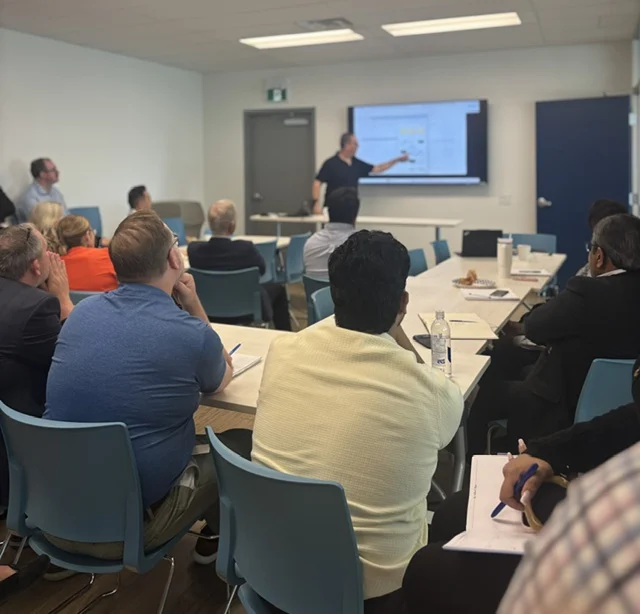
This is not a lecture and it is not a demo. Up to 15 people, everyone brings a laptop, everyone follows along step by step in their own software on their own work. Above 15 it runs as a live session with demos, and everything is sent through afterwards.
Most of the ninety minutes is spent in Outlook, because that is where most of your team spends most of their day. What they set up there follows them into everything else.
Nobody needs to know anything before they walk in. If they have never opened it, that is fine. That is who this is built for.
Nothing else works until this is done. Each person teaches it who they are, what their job is and who their clients are, once. Sales does not need the same setup as accounting. After this, they stop starting from zero every morning.
Inside their own Outlook, on the thread they have been avoiding all week. The difference between the answer most people get and the answer you can actually send is a handful of things nobody has told them.
The data in a thread becomes an Excel sheet. The attachment becomes a summary you can forward. The PDF answers questions. Real documents from their own week, not sample files. This is the part where the room gets loud.
What it can genuinely do with your documents and your decks, following your own brand guidelines instead of a generic template.
Everyone picks the task they repeat most and turns it into a keyword. One person types "ask Paul" and the email in front of them comes back in French. Somebody else has one that turns the supplier update into the weekly summary they write by hand every Friday. Set once, then used every day after. Finally, they leave knowing how to build the next one on their own.
Real sessions
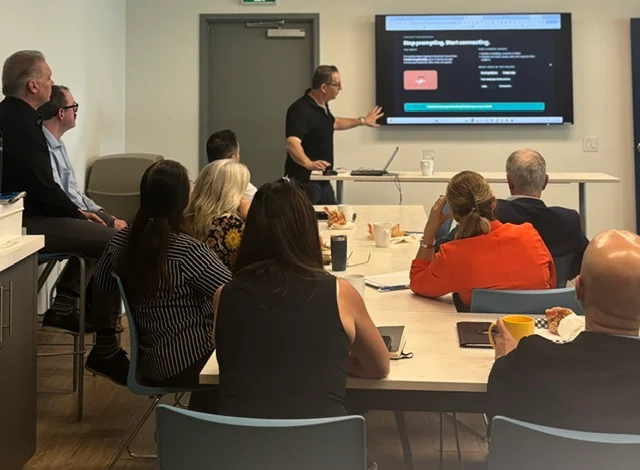
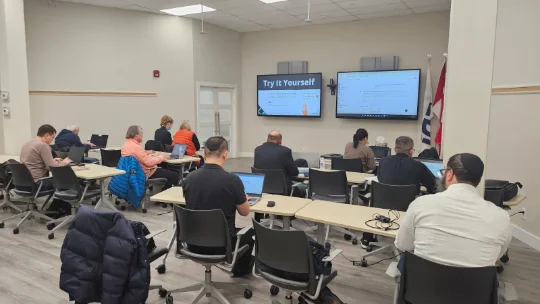
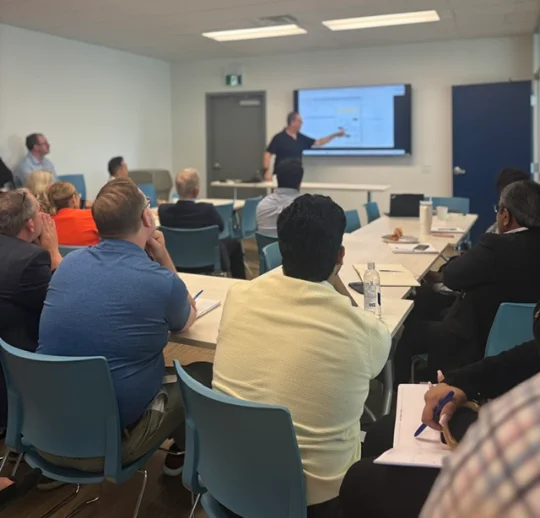
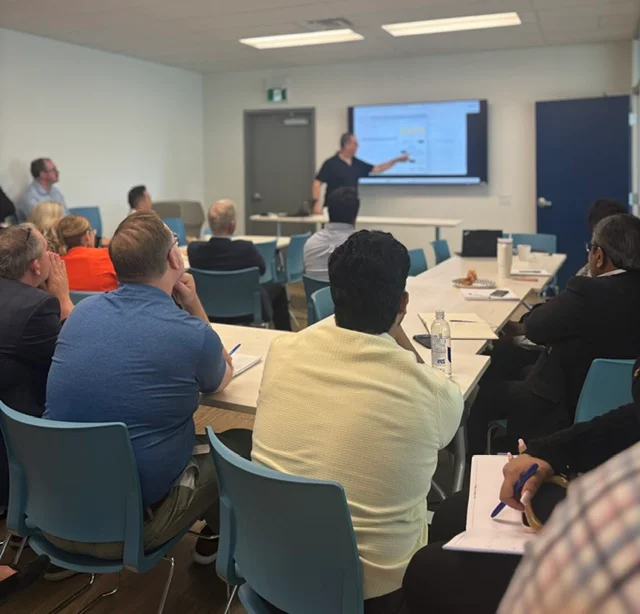
Boardrooms, classrooms and lunch rooms across the GTA. Every session is taught by Ran, in the room.


Proof
★★★★★
"Those use cases were eye opening to what we could setup and have an agent run on behalf of ourselves... can only imagine the amount of time we could free up. We often have mistakes in our transposing of data that we could easily work to eliminate by making us the checkers instead of the doers. I'd love to have you come again."
Financial planning firm
★★★★★
"Thank you so much for delivering today's session and also on such a short notice. It was truly a pleasure, and our team really enjoyed learning from you. I have sent out a short survey to everyone... to find out what would they like to see in future sessions."
Pharmaceutical company
★★★★★
"Ran is an exceptional AI instructor. His ability to break down complex AI concepts into clear, practical, and engaging lessons is rare. He doesn't just teach tools or theory, he empowers you to think in AI and apply it confidently."
Rachel Mann
★★★★★
"Ran is an excellent teacher, coach and mentor. His courses are transformative. In our first session, he helped me to feel comfortable using AI. He makes things easy to understand and encourages us to ask questions."
Course participant

This year we have delivered on-site AI and Copilot training to Toronto and GTA companies already paying for Microsoft, in financial services, property development, food manufacturing and professional services. In fact, eleven of the last fifteen companies who reached out asked for one thing specifically: in person, in their own office.
Every session is taught in the room by Ran Armon, who founded Action AI and has trained hundreds of people across the GTA, from whole company teams to owners and individuals.
Client company names are never published. Quotes stay anonymised by sector and city.
The offer
Settings, memory and personal instructions set up for every person, around the job they actually do
A prompting method they keep using, not a list of prompts to copy and lose
Their own email, files, attachments and PDFs worked on live, from their real week
Email data turned into Excel sheets and Word documents, which is the part nobody knows about
PowerPoint, Word and Excel on your brand guidelines, not generic templates
One mini agent built per person, a keyword that does their most repeated task, plus how to build the next one
Everything we covered, sent through afterwards, so nobody has to remember it all
A clear answer to which AI your company uses, and what never goes into anything else
The session
Hands-on. Laptops out, everyone working on their own real tasks. Bigger rooms quoted on the call. On-site across the GTA. You provide the room and the lunch.
Book a free 15 minute call→Tell us within 48 hours of the session and we refund the fee in full. No form, no argument. We would rather carry that risk than have you carry it.
The plan
We ask what your team does all day and what software they already have.
Before you pay anything. If the AI you already own cannot do what you need, we tell you on the call and you have lost fifteen minutes.
You pick the date. Then we bring the training, and you bring the lunch.
You already pay for Copilot inside Microsoft 365, and that is exactly why nobody treats it as anything special. Almost every team we walk into has it sitting there unopened, or opened once and written off. Owning it and using it are different things, and the ninety minutes closes that gap.
Good, because this is built for people who are not. No coding, no jargon, nothing to install. If somebody has never opened it in their life, they are exactly who is meant to be in the room.
Yes. Our Copilot training comes to your office in Toronto and anywhere else in the GTA, including Vaughan, Markham, Mississauga and Oakville. Because the session runs in your own boardroom on your team's own Microsoft 365, there is nothing to install and nobody has to travel.
Because they watched somebody else do it. Here everyone works on their own laptop, on their own real tasks, and leaves with their settings configured and an agent already running. Nobody forgets the thing they built themselves.
It is ninety minutes, over the lunch your team was going to eat anyway. Nobody has to travel and nobody loses a day.
No. It answers the question underneath it, which is what goes where. Company information belongs in the tool your business controls. Everything else is a conversation we can have on the call.
No. We are not a Microsoft partner and we earn nothing on your licence. Copilot is simply the safest place for your company data that you already own. We will also tell you plainly when it is the wrong tool for a particular job.
We can give you a plain one page starting point covering what goes in, what never goes in, and which tool your company uses. Most teams have never had one written down.
Everything covered goes out in writing so nobody has to remember it. Teams that want to go further move to a half day or a full day on one tool, but that is your call, not a built-in upsell.
Start with the short booking form. On the call we then check which Microsoft licence you actually have, confirm what Copilot can and cannot do on it, and tell you whether this session is worth your money. If it is not, we will say so.
Six months from now, Copilot is still sitting unopened in your Microsoft 365 and your team is still at 20%. That does not fix itself.
15 minute call
Book a free 15 minute call→Free call. If the session is not worth it, you do not pay.
